
Sharing Your Donation Form
Your new donation form is ready, and it is time to put it into action. There are three ways to share your form: via QR code, by sharing a link to the form, or by embedding the form on various forums. Publishing your donation form across multiple platforms increases your chances to strengthen and improve your contributions.
In This Article:

1 - Downloading the QR Code
QR codes make it simple to share your donation form. They provide an efficient way for your donors to use their mobile devices to make a contribution to you.
Using the 3-dot button to the right of the Form Title, click on Share. Select Download QR Code from the secondary menu.

2 - Copying the Form Link
Sometimes you need to send someone a link to your form. This process automatically copies the link to your computer’s clipboard, so you can paste it directly into an email, document, or even social media.
Using the 3-dot button to the right of the Form Title, click on Share. Select Copy Form Link from the secondary menu.
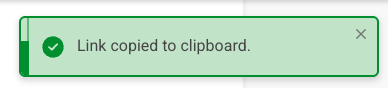
A brief message appears to confirm that the link is copied to your machine's clipboard. Just paste the link where you want it!
3 - Copying the Embed Code
You can place your eCatholic payment form on a non-eCatholic site by using the supplied embed code for the form.
Using the 3-dot button to the right of the Form Title, click on Share. Select Copy Embed Code from the secondary menu.
The Embed Code dialog opens. Be sure to to add authorized domains in the Allowed Domains area.
Caution:
An authorized domain is allowed to embed the code you are about to copy. This step prevents unauthorized use of your form on sites that you did not approve.
